
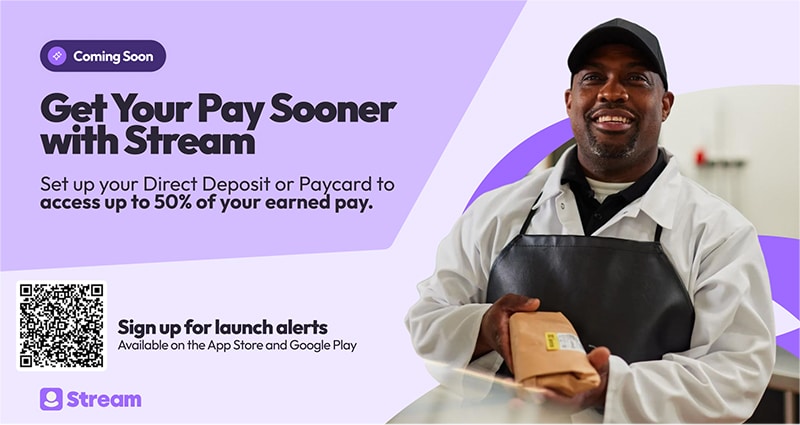
Stream lets you track earnings in real-time and access pay when you need it – no more waiting for payday.
How It Works

Attend a Stream Webinar
Join the benefits team and Stream to learn about Stream services and how to sign up. You’ll find the link to the webinar below.
Date: Thursday, March 26
Time: 12 pm PT | 1 pm MT | 2 pm CT | 3 pm ET
Watch a Short Stream Overview Video
English Video

Spanish Video
Key Features
- Track your pay: See your earnings build up shift-by-shift so you always know exactly what you’ve earned.
- Get paid early: Instantly transfer up to 50% of your earned wages to your bank account or Pay Card before payday.*
- High-yield savings: Watch your money grow with a competitive 5.13% APY** and only a $5.00 minimum deposit
- Claim your benefits: Qualifying members find an average of $1,000.
How to Get Access
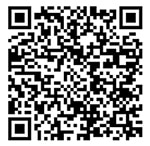
- Download: Click here to request a download link or use the QR code below:
- Sign-in: Use your existing company work credentials (username and password).
- Verify: You may be prompted to verify your email during setup.
Stream FAQs
All active Albertsons associates in the United States are eligible. To use Stream, you must have your pay sent to a bank account or Money Network pay card. You can set this up via myACI or directly in the Stream app.
Follow these steps:
- Download: Find “Stream” in the App Store or Google Play.
- Sign in: Use your existing Albertsons work credentials (username and password) to sign in to Stream.
- Verify: You may be prompted to verify your email during setup.
- You can transfer up to 50% of your base pay.
- Hourly associate: Shifts for the day will be updated overnight (e.g., Monday’s shift will appear on Tuesday). If a shift is missing and a manager must fix your timecard, it will update in Stream the next day.
- Salaried associate: You will see your balance grow each day.
- Instantly (within seconds) to a Money Network pay card: $0 (free)
- Instantly to your bank/debit card (within seconds): $1.25 – $3.29
- Next day (Between 1-3 days): Free
-
- Standard transfer (1-3 days): $0 (free)
- Instant to pay card: $0 (free)
- Instant to bank/debit card: $1.25 – $3.29
- Early direct deposit is not supported: Stream lets you access wages as you earn them, but your pay is sent on payday, not earlier.
- Remaining pay if you advance your wages: You get your normal check on payday, minus what you already took out.
- Statements: Deductions from Stream will not show on your Albertsons payslip. Stream will email you a separate statement on payday and also make it available to view in the app.
Direct deposit changes in myACI will lock once you join Stream. When changes occur, you can easily update direct deposit information inside the Stream app.
You can opt out at any time in the Stream app by going to Settings > Opt-Out. Outstanding transfers will be deducted before the process is complete.
Transfer access is immediately locked, and the app becomes unavailable after your last day. Your final check will be paid, minus any early transfers.
You can access support via chat or visit Profile > Help Centre in the Stream app.
*© 2025 Earned Wage Access services in the United States are provided by Stream Platforms, Inc. (NMLS #2547041). Stream Platforms, Inc. is a wholly owned subsidiary of Stream Group Holdings Ltd, and an affiliate of Stream Platforms Ltd. Stream Platforms Ltd is the owner of all intellectual property rights on this site, and in all material published on it. All rights are reserved. Stream Platforms Ltd is a company registered in England and Wales (number 11173225) and registered with the Financial Conduct Authority (FCA).
**Stream Platforms, Inc. is a financial technology company, not a bank. Banking Services associated with Stream’s Save product are provided by Piermont Bank, Member FDIC. The funds in your account are FDIC-insured up to $250,000 per depositor for each account ownership category in the event of a bank failure. *Annual Percentage Yield (“APY”) refers to the total amount of interest you can earn. APY of 5.13% is accurate as of October 2, 2025, is variable, and may be subject to change after the account is opened. The minimum amount to open an account and earn the APY is $5.00.

 Copyright 2025 Albertsons Companies |